 By
By 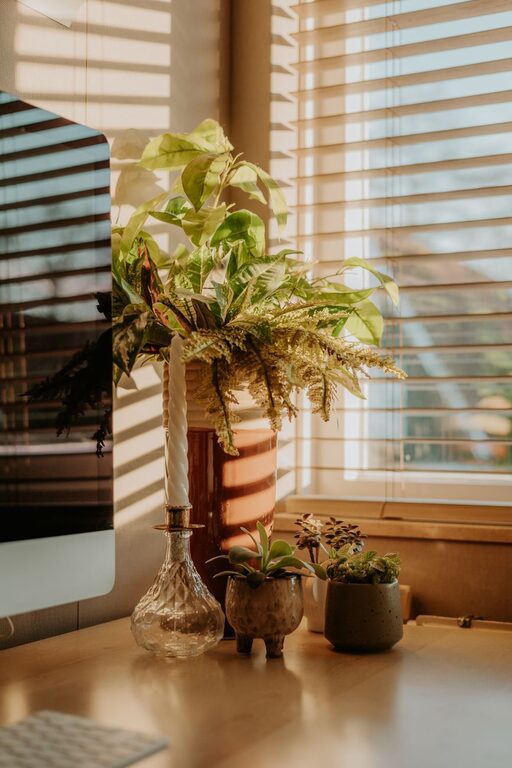
Creating a home office that feels both cozy and organized can greatly improve your productivity and comfort during work hours. Whether you’re setting up a dedicated room or carving out a corner of your living space, having an environment that supports focus and relaxation is essential. Here are some useful tips to help you design a home office space that encourages creativity, efficiency, and well-being.
1. Choose the Right Location
Consider Natural Light
Whenever possible, place your desk near a window to take advantage of natural light. Good lighting boosts mood and reduces eye strain. If natural light is limited, invest in quality task lighting like adjustable lamps.
Minimize Distractions
Pick a spot that’s away from busy household areas. Quiet corners or rooms with a door help minimize noise and interruptions, allowing for better concentration.
2. Select Comfortable and Functional Furniture
Ergonomic Chair and Desk
Invest in an ergonomic chair that supports proper posture and keeps you comfortable during long work sessions. Match it with a desk at the right height to prevent strain.
Multi-purpose Storage
Choose desks or shelving units that offer built-in storage options. This helps keep your workspace tidy and ensures essentials are within reach.
3. Organize Your Space Efficiently
Declutter Regularly
Keep only the items you truly need on your desk. Regularly decluttering helps maintain a clean and inviting workspace.
Use Organizers and Containers
Trays, drawer dividers, and file holders can keep papers and office supplies neatly arranged. Label containers to make finding items quick and effortless.
Cable Management
Don’t let cables and chargers create a tangled mess. Use clips, ties, or cable boxes to manage cords and keep your area visually calm.
4. Add Personal and Cozy Touches
Soft Textiles
Add a plush rug, cushions, or a soft throw to your office chair to increase comfort and warmth.
Greenery
Plants improve air quality and bring a calming, natural feel to the room. Choose low-maintenance options like succulents or peace lilies.
Artwork and Decor
A few framed photos or inspiring quotes can personalize your space without making it cluttered. Choose decorations that motivate and uplift you.
5. Optimize Lighting for Comfort and Productivity
Layered Lighting
Combine ambient, task, and accent lighting to adjust the mood and visibility for different tasks. For example, use overhead lights for general illumination and desk lamps for focused work.
Avoid Screen Glare
Position your monitor and light sources to minimize glare, which can cause eye fatigue.
6. Establish Zones within Your Office
Work Area
Define the main work zone where your computer and primary tools are placed.
Reference and Storage Zone
Create a section for books, files, and materials you often refer to. Keeping these items organized promotes a seamless workflow.
Relaxation Corner
If space permits, add a small seating area or a spot for quick breaks to refresh your mind.
7. Maintain a Routine for Cleanliness
Allocate a few minutes at the end of each day to tidy your workspace. Putting things back in their place and wiping surfaces helps keep your office inviting and ready for the next day.
8. Use Technology to Stay Organized
Apps and digital tools can help manage tasks and schedules, reducing paper clutter. Choose planners, calendars, or project management software that suits your working style.
—
By following these tips, you can create a home office space that not only looks good but also supports your productivity and comfort. Remember, the key is to balance organization with personalization to make your workspace truly your own. A thoughtfully designed home office helps you work smarter and feel better throughout the day.