 By
By 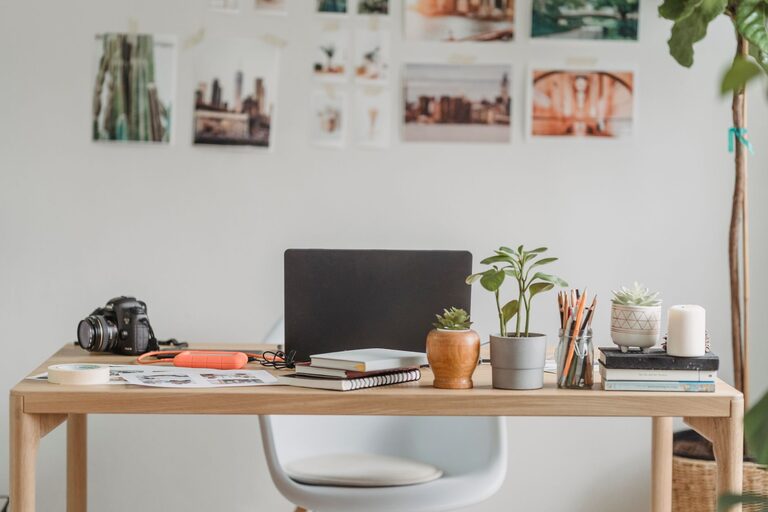
Creating a productive home office environment is essential for staying focused and efficient, especially as more people work remotely. Your workspace can significantly influence your motivation, workflow, and overall comfort throughout the day. Whether you have a dedicated room or a cozy corner, the right setup can make all the difference.
In this post, we’ll explore valuable tips to help you design and maintain a home office that supports productivity and well-being.
Choose the Right Location
Finding the best spot for your home office is the first step. Look for a space that is:
– Quiet and low-traffic: Minimizing distractions will help you concentrate better.
– Well-lit: Natural light is ideal for reducing eye strain and boosting mood.
– Comfortable: Find a place that suits your daily routine and physical needs.
If possible, avoid working from your bedroom or places associated with relaxation, as this may blur the lines between work and rest.
Invest in Ergonomic Furniture
Comfort plays a crucial role in productivity. Consider these essentials:
– Adjustable chair: Choose one that supports your lower back and allows your feet to rest flat on the floor.
– Desk at the right height: Your arms should rest comfortably while typing, without straining your shoulders.
– Monitor setup: Position your screen at eye level to avoid neck and eye strain.
Ergonomic furniture might involve some upfront cost but pays off by reducing discomfort and increasing focus.
Organize Your Workspace
A clutter-free desk helps your mind stay clear. To keep your workspace organized:
– Use trays, baskets, or drawer organizers to store supplies.
– Keep only daily essentials within arm’s reach.
– Schedule regular tidying sessions to maintain order.
You might also want to personalize your space with inspiring decor, but keep it simple to avoid distractions.
Optimize Lighting
Good lighting is vital for reducing fatigue and maintaining alertness.
– Position your desk near a window when possible.
– Use task lighting like adjustable desk lamps to brighten specific areas.
– Choose bulbs with a natural white tone for better visibility and mood enhancement.
Avoid glare on your screen by adjusting blinds or your monitor position.
Minimize Distractions
Distractions can disrupt your workflow quickly. Try these strategies:
– Set clear boundaries with household members during work hours.
– Use noise-canceling headphones or background music if ambient noise is unavoidable.
– Turn off unnecessary notifications on your devices.
Establishing routines and clear work times helps maintain focus throughout the day.
Create a Daily Routine
A consistent schedule promotes productivity and work-life balance:
– Start with a morning ritual, like a cup of coffee or a short walk, to prepare your mind.
– Set specific work hours and stick to breaks for meals and stretching.
– Use tools like calendars or task managers to organize your day.
Taking regular breaks is essential to prevent burnout and keep energy levels stable.
Use Technology Wisely
Leverage technology to enhance your workflow:
– Choose reliable hardware that suits your work needs.
– Install productivity apps for time tracking, task management, or communication.
– Organize digital files systematically to find documents quickly.
However, be mindful not to get overwhelmed by too many tools; pick what works best for you.
Maintain Good Air Quality and Temperature
Comfort extends beyond furniture to the environment itself:
– Ensure your workspace is well-ventilated.
– Keep the room temperature comfortable, ideally between 68-72°F (20-22°C).
– Consider adding plants to improve air quality and add a natural element.
A fresh and pleasant environment helps improve concentration and mood.
Prioritize Health and Movement
Sitting for long periods can affect health and productivity. Keep active by:
– Standing or stretching every hour.
– Using a sit-stand desk if possible.
– Incorporating short walks or exercise routines into your breaks.
Hydrate regularly and make healthy snacks accessible to maintain energy.
Personalize Your Workspace
Adding personal touches creates a welcoming atmosphere:
– Display photos, artwork, or motivational quotes.
– Choose colors that inspire you; blues and greens are often calming.
– Incorporate items that bring joy, but don’t overcrowd the area.
A workspace that feels pleasant encourages you to spend time there with enthusiasm.
—
By implementing these tips, you’ll build a home office environment that supports your productivity and comfort. Remember, the best setup is one that fits your unique needs and preferences. Regularly assess and adjust your space to keep it effective and enjoyable as you work from home.